
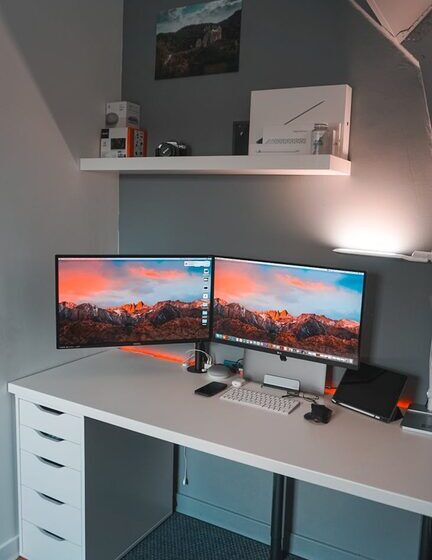

Creating a clutter-free workspace at home is essential for enhancing focus, reducing stress, and boosting productivity. A well-organized area helps you stay on track and makes your workday more enjoyable. Whether you have a small nook or a dedicated room, these tips will help you design a tidy and efficient home office.
Why a Clutter-Free Workspace Matters
A cluttered workspace can lead to distractions and make it difficult to find important items when you need them. On the other hand, a clean and organized space encourages efficient workflow and clear thinking. By keeping your workspace clutter-free, you foster a healthy work environment that supports your goals.
Start With a Clean Slate
Before organizing, clear everything off your desk and surrounding surfaces. This fresh start allows you to evaluate what you really need in your workspace and what you can remove or store elsewhere. Wipe down surfaces and vacuum or mop the floor to create a clean foundation.
Sort and Declutter
Categorize Your Items
Group your work essentials such as stationery, electronics, documents, and personal items. This will help you decide which storage solutions work best.
Remove What You Don’t Need
Be honest about what you actually use. Remove duplicates, outdated papers, or broken items. The goal is to keep only what supports your daily tasks.
Choose Functional Storage Solutions
Desk Organizers
Use trays, drawer dividers, and pen holders to keep small items neat and accessible. This prevents piles of clutter on your desk surface.
Shelving and Cabinets
Bookshelves, filing cabinets, or wall-mounted shelves keep larger items and documents organized and off your desk.
Cable Management
Tidy up cords and chargers with clips, sleeves, or boxes designed to hide cables. A clutter-free desk will have fewer distractions.
Create Zones for Different Tasks
Segment your workspace based on the activities you perform. For example, designate areas for computer work, paperwork, and creative tasks. This helps contain materials and keeps your workflow smooth.
Maintain an Efficient Filing System
Paper clutter is common in home offices. Develop a simple filing system using labeled folders or digital scanning to reduce physical storage needs. Sort mail and documents daily to avoid buildup.
Limit Personal Items
It’s great to personalize your workspace, but too many decorations can create clutter. Keep personal items like photos or plants to a few meaningful pieces.
Make Cleaning a Habit
Set aside a few minutes at the end of each day to tidy your workspace. Put away supplies, file papers, and wipe surfaces. Regular maintenance prevents clutter from accumulating.
Optimize Lighting and Ergonomics
An organized workspace isn’t just about storage. Good lighting and an ergonomic setup reduce strain and improve comfort, helping you maintain focus longer.
Tips for Better Lighting
Use natural light when possible or add adjustable desk lamps for clear visibility.
Ergonomic Setup
Ensure your chair and desk support good posture. Position your monitor at eye level to reduce neck strain.
Use Digital Tools to Minimize Physical Clutter
Store documents, notes, and to-do lists electronically. Apps and cloud storage reduce the need for paper and help keep your workspace clean.
Personalize Thoughtfully
Adding a few inspiring elements like a small plant or motivational quote can enhance your mood without overwhelming the space. Choose meaningful, minimal decor.
Final Thoughts
Organizing a clutter-free workspace at home can transform your work experience. It takes some effort upfront, but the ongoing benefits of focus and efficiency are well worth it. Start small, be consistent, and adjust your system as needed to create a space where you can do your best work every day.