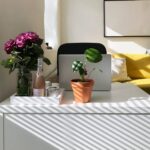


Creating an organized workspace at home can make a big difference in how productive and focused you feel throughout the day. When your workspace is clutter-free and thoughtfully arranged, it’s easier to stay motivated and efficient. Whether you work remotely, study, or spend time on creative projects, these simple tips will help you set up a home office that supports your best work.
Why Organizing Your Home Workspace Matters
A cluttered or chaotic workspace can be distracting and overwhelming. Having everything you need within reach but neatly arranged reduces stress and helps you maintain a steady workflow. Organization also saves time—you won’t have to search for papers, tools, or devices, which can cut into your productive hours.
Now, let’s dive into practical ways to organize your home workspace for better productivity.
Choose the Right Spot for Your Workspace
Find a Dedicated Area
Pick a space in your home where you can focus without constant interruptions. Ideally, this spot should be separate from high-traffic or noisy areas. Even a small corner with a desk and chair can work well if it becomes your designated work zone.
Maximize Natural Light
Position your desk near a window if possible. Natural light boosts mood and alertness, making work more enjoyable. If natural light isn’t an option, invest in good-quality task lighting that reduces eye strain.
Clear Out Clutter and Keep Only What You Need
Declutter Regularly
Start by removing everything from your desk and shelves. Sort items into categories: essentials, sometimes-useful, and unnecessary. Only keep what you use daily or frequently. Donate or recycle things you don’t need.
Use Storage Solutions
Use drawers, bins, or shelves to store items neatly. Small containers or desk organizers are great for papers, stationery, and accessories. Labeling storage boxes helps you quickly find what you need without digging through piles.
Organize Your Desk Efficiently
Prioritize Frequently Used Items
Keep your most-used tools—such as your computer, notepad, pens, and phone—within easy reach. This reduces distractions caused by constantly searching for things.
Minimize Digital Clutter
Organize your computer desktop and digital files into folders. Close unnecessary tabs or apps to stay focused. Back up important documents to the cloud or an external drive regularly.
Create a Comfortable and Ergonomic Setup
Invest in a Good Chair and Desk
Comfort is key to sustaining productivity. Choose a chair that supports your back and allows your feet to rest flat on the floor. Your desk should be at a height where your arms rest comfortably as you type or write.
Position Your Screen Properly
The top of your monitor should be at eye level, about an arm’s length away. This setup helps prevent neck and eye strain over long periods.
Set Up a System to Manage Paperwork
Use a Filing System
Sort important papers into folders labeled by category or urgency. Keep this filing system close by so you can quickly file or retrieve documents.
Go Paperless When Possible
Reducing paper with digital versions can help keep your workspace tidy. Use apps to scan and organize receipts, bills, and notes.
Personalize Your Space Without Overcrowding
Add Motivational or Calming Elements
Incorporate small items like plants, artwork, or inspirational quotes. These elements can uplift your mood but avoid overdecorating, which can be distracting.
Maintain a Balance
Keep decorative items to a minimum so your space encourages focus rather than clutter.
Establish Daily Cleaning and Organization Habits
End Your Day with a Quick Tidy
Spend 5-10 minutes putting away papers, wiping surfaces, and straightening items. Starting the next day with a clean desk helps you jump right into work.
Review Your Setup Periodically
Every few weeks, reassess your workspace to make sure it still meets your needs. Adjust as necessary to improve comfort and efficiency.
Bonus: Use Technology to Stay Organized
Productivity Apps
Try task managers or calendar apps to keep track of deadlines and meetings. Reminders and timers can break your work into manageable chunks.
Cable Management
Use clips, ties, or sleeves to bundle and hide cables. Keeping cords organized prevents tangling and reduces visual clutter.
—
Organizing your home workspace doesn’t have to be overwhelming. By picking the right location, decluttering regularly, and creating comfortable conditions, you’ll set yourself up for greater productivity and less stress. Remember, the goal is to make your workspace work for you—simple, efficient, and inspiring. Give these tips a try and notice the difference a well-organized workspace can make!