
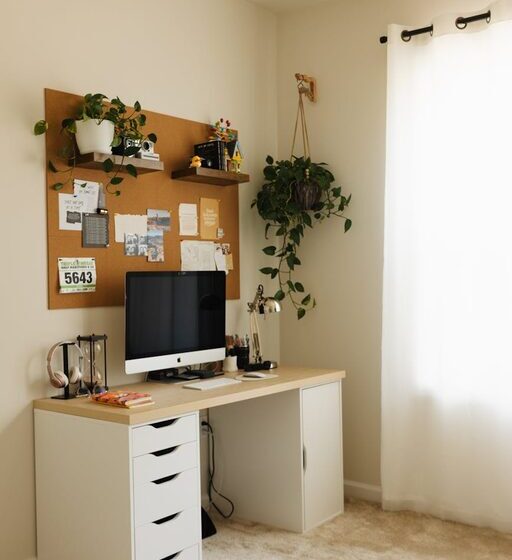

Creating a productive home office space is essential for anyone working remotely or managing tasks from home. A well-designed workspace can increase focus, improve comfort, and make your workday more enjoyable. Whether you have a dedicated room or a small corner, following some simple guidelines can help you set up an efficient home office tailored to your needs.
Choose the Right Location
Find a Quiet Spot
Select an area in your home that minimizes distractions. This might be a spare room, a section of your bedroom, or a calm corner of the living room. Avoid places with noisy appliances or heavy foot traffic.
Consider Natural Light
Natural light can boost mood and productivity. Place your desk near a window whenever possible to take advantage of sunlight. If natural light is limited, use quality lighting that mimics daylight to reduce eye strain.
Invest in Ergonomic Furniture
Comfortable Chair
A supportive chair is crucial for long hours of work. Choose one with adjustable height, lumbar support, and comfortable padding. Good posture reduces fatigue and prevents back pain.
Functional Desk
Your desk should be spacious enough to hold your computer, paperwork, and other essentials. Adjustable desks that allow switching between sitting and standing can add ergonomic benefits.
Organize Your Workspace
Declutter Regularly
Keep your desk tidy by organizing items and removing unnecessary clutter. Use trays, pen holders, and filing systems to keep essentials within reach but out of the way.
Use Storage Solutions
Shelves, drawers, or cabinets can help store files, supplies, and equipment. Label containers for easy access and to maintain organization.
Minimize Distractions
Manage Noise
Consider noise-cancelling headphones or sound machines if your home is noisy. Inform family members or housemates about your working hours to reduce interruptions.
Limit Digital Interruptions
Turn off non-work-related notifications on your computer and phone. Use apps that block distracting websites during work hours to stay focused.
Personalize Your Space
Add Inspiring Elements
Decorate your office with items that motivate you, such as photos, artwork, or plants. Greenery not only enhances aesthetic appeal but can also improve air quality and reduce stress.
Keep it Comfortable
Maintain a comfortable room temperature and have a water bottle close by. Comfort helps maintain concentration over long periods.
Plan Your Workflow
Make a Schedule
Set regular working hours to create a routine. Plan breaks to stretch and rest your eyes, which can boost productivity and prevent burnout.
Use Task Management Tools
Digital planners or to-do lists help keep track of assignments and deadlines. Organizing tasks visually can reduce overwhelm and increase efficiency.
Optimize Technology
Reliable Internet
A fast and stable internet connection is essential for remote work. Consider an upgrade if your current service is slow or inconsistent.
Quality Equipment
Invest in a good computer, headset, webcam, and other tools that suit your work needs. Keeping software updated and having backup equipment minimizes disruptions.
Maintain Work-Life Balance
Separate Work and Leisure
Avoid working from your bed or couch whenever possible. Having a dedicated workspace helps your brain switch between “work mode” and relaxation.
Set Boundaries
Communicate your working hours to family and friends. After work, step away from your workspace to unwind and recharge.
—
By thoughtfully designing your home office space, you can create an environment that not only supports your work goals but also promotes well-being. Small changes in setup and habits can make a big difference in maintaining productivity and enjoying your time at home.